SearchSEO vs CTRTool: CTR Manipulation With Automated Sessions
You are comparing two CTR tools and need a straight answer, not a feature list. Automated sessions only help if every visit is verifiable and the campaign settings match how real users search on desktop and mobile.
This comparison gives you a clear verdict on SearchSEO vs CTRTool, then breaks down what each tool actually does. You will see how they differ on screenshot proof, coverage of Google, Bing, Maps and AI Overviews, session controls, and pricing, so you can pick the right one for your keywords and budget.
Quick Verdict: SearchSEO vs CTRTool for Automated CTR Sessions
CTRTool and SearchSEO both promise automated CTR sessions, but they differ sharply in proof, coverage, and control, so this quick verdict summarizes which tool fits which SEO workflow. CTRTool is built specifically as a CTR campaign tool, with screenshot proof attached to every visit. SearchSEO is better described as a general automation platform, and its CTR-related capabilities are typically presented at a broader level.
The clearest divide sits in verification. CTRTool captures search and landing screenshots as separate proof images for each visit, so you can confirm what actually happened rather than trusting a dashboard counter. It also records full visit paths and tracks keyword positions over time, including Maps listing order and AI citation order.
Control over spend is another differentiator. CTRTool runs a pay-for-results credit model, with no credits charged for technical failures before landing, and visits that cannot verify the requested location use no credits. One credit balance is shared across all campaign types, websites, and keywords, and unused credits roll over while you stay subscribed.
Scale and session depth are defined rather than vague. CTRTool supports up to 100 campaigns with 100 keywords each, and visits can run up to 5 minutes with up to 5 additional internal pages. That structure matters when you want realistic dwell time and multi-page engagement rather than a single quick hit.
Choose CTRTool if...
- You want screenshot proof for every visit, not just a session log.
- You need keyword position tracking over time, including Maps listing order and AI citation order.
- You prefer pay-for-results billing where technical failures and unverifiable locations cost no credits.
- You want a single shared credit balance across campaigns, sites, and keywords, with rollover while subscribed.
Choose SearchSEO if...
- You need broad automation across several unrelated task types, not CTR campaigns alone.
- You are comfortable with general feature descriptions and less granular per-visit verification.
- Your workflow prioritizes breadth of automation over proof artifacts for each session.
- You already rely on a general automation stack and want CTR work handled inside it.
Verdict: for teams that treat CTR manipulation as a measurable campaign with proof and tracked positions, CTRTool is the more purpose-built option. The detailed sections below break down proof, session mechanics, and billing so you can judge the fit yourself.
At a glance: how CTRTool compares to SearchSEO on the features that matter most.
| Feature | CTRTool | SearchSEO |
|---|---|---|
| Pricing | $59-$699/mo | Price on request |
| Free plan / trial | ✗ | 3-day free trial |
| CTR manipulation (simulated clicks) | ✓ | ✓ |
| Custom keywords & geo targeting | ✓ | ✓ |
| Device targeting (desktop/mobile) | ✓ | ✓ |
| Bing search support | ✓ | ✓ |
| Google Maps / GBP clicks | ✓ | ✓ |
| Screenshot proof per visit | ✓ | — |
What Is CTRTool?
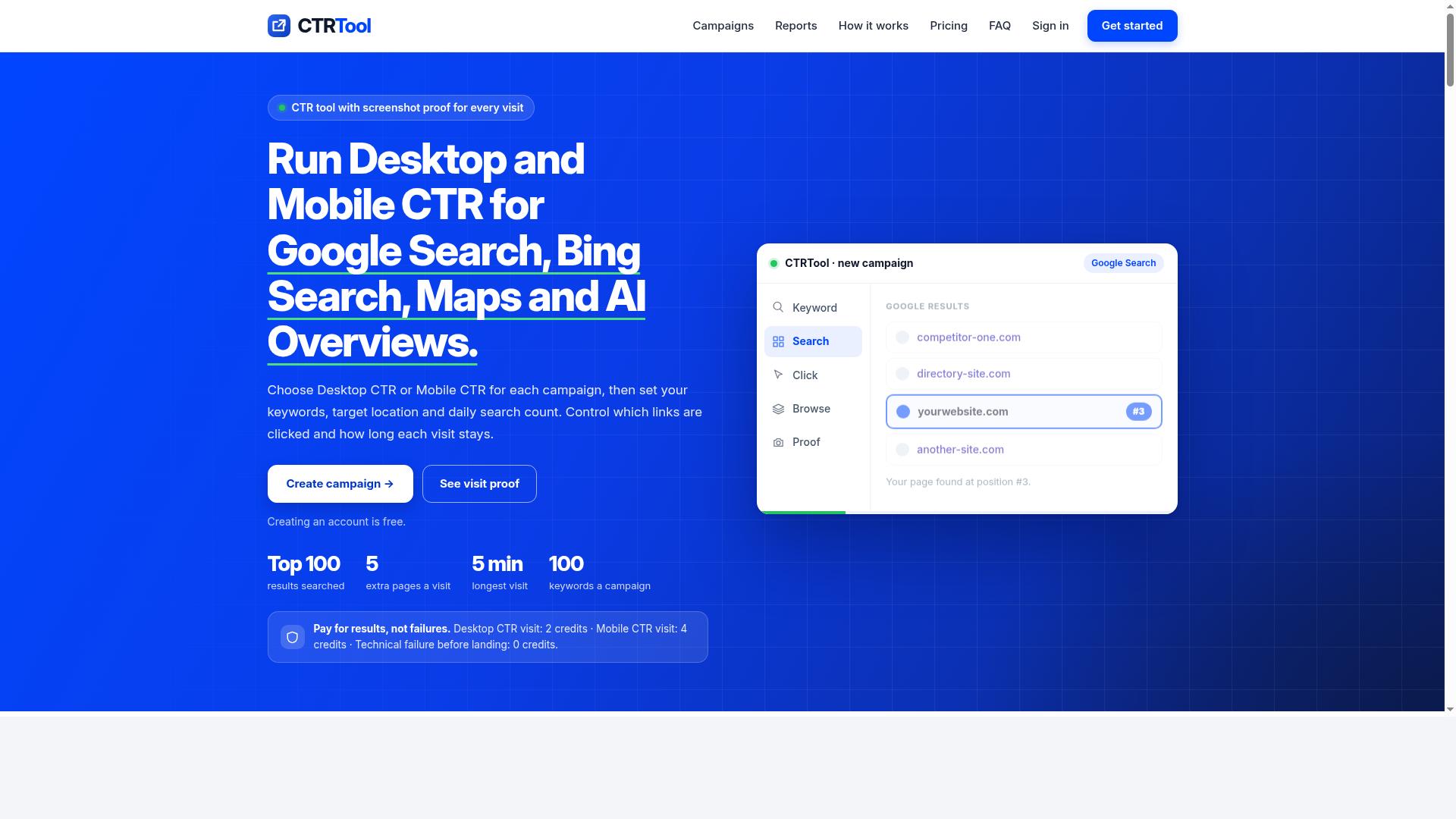
CTRTool is a SaaS tool that runs Desktop and Mobile CTR campaigns for Google Search, Bing Search, Maps and AI Overviews, with screenshot proof for every visit. It is built around a simple idea: give users direct control over the parameters of each campaign rather than leaving visits to chance.
For each campaign, users choose Desktop CTR or Mobile CTR as the target device type. They then set the keywords to target, the location to search from, and a daily search count. These controls shape how sessions are distributed across a campaign.
Users also control which links are clicked and how long each visit stays on the page. That level of detail matters because dwell time and click destination are core parts of any CTR manipulation setup. Every visit is documented with a screenshot, so activity can be reviewed rather than taken on trust.
The tool positions itself as a CTR tool with screenshot proof for every visit. That framing is descriptive rather than promotional: the value it claims is transparency about what happened during a campaign. The site is also candid that automated visits do not guarantee rankings, which keeps expectations grounded in how search algorithms actually behave.
What Is SearchSEO?
SearchSEO is a third-party automation service that, based on its public materials, offers automated search-and-click sessions for CTR-related use cases, but its exact feature set and pricing should be verified directly with the vendor.
In practical terms, it belongs to a category of tools built to simulate how real people search on Google and then interact with a result. The goal is usually to send behavioral signals that suggest a page earns genuine attention, which some marketers believe can influence SERP ranking over time.
These services typically run sessions in the background, opening a browser, entering a query, and clicking through to a target page. That flow is what people mean by session automation, and it sits at the center of most CTR manipulation discussions.
Several capabilities are commonly associated with this category of tool. They are not confirmed specifics for SearchSEO, but they show what buyers in this space usually look for:
- Proxy rotation, often using residential proxies to spread activity across many IP addresses
- User-agent rotation to vary the browser identity behind each session
- Session control over dwell time, bounce rate, and pogo-sticking behavior
- Search query simulation so clicks arrive through realistic keyword paths
- Some form of anti-bot detection handling, such as captcha solving or fingerprint spoofing
Because these features vary widely between providers, general descriptions can only go so far. A tool may lean heavily on browser automation and headless browser setups, or it may focus on manual-style sessions managed by real users. The difference matters for how natural the resulting traffic simulation looks.
This article does not invent SearchSEO's prices, plan limits, or guarantees. Any figures you see elsewhere should be treated with caution until confirmed. Readers should check SearchSEO's own site for current details on plans, features, and terms before making a decision.
It is also worth separating marketing language from verifiable claims. Terms like organic clicks and traffic simulation can mean very different things depending on how a vendor implements them. Ask how sessions are generated, what IP diversity looks like, and whether activity is logged.
Finally, keep the broader context in mind. CTR boosting tools operate in a sensitive area, and search engines actively work to detect artificial patterns. Understanding what a service claims to do, and confirming it directly, is the sensible starting point before any deeper comparison.
Features Compared
This section compares CTRTool and SearchSEO across the three areas that most affect campaign outcomes: proof and transparency, campaign coverage, and session control. These dimensions decide whether a CTR campaign can be trusted, whether it reaches the surfaces that matter, and whether the sessions it sends look plausible.
For SEO practitioners running CTR manipulation at any scale, weak proof and loose session settings are the fastest routes to wasted spend. Coverage determines which SERP ranking surfaces actually receive behavioral signals, and session control shapes how natural those signals appear.
CTRTool details below come from its official site. SearchSEO information is described generally and hedged, since public materials should be verified directly with the vendor before any commitment.
Proof and Transparency: Screenshot Evidence Per Visit
CTRTool provides screenshot proof for every visit, including separate search and landing screenshots plus full visit paths, which lets campaign managers audit what actually happened. Each visit produces two distinct proof images rather than a single capture, so the search step and the on-site step can be checked independently.
Keyword positions are tracked over time, covering Search positions, Maps listing order and AI citation order. That means progress is measured across the same surfaces the campaigns target, not just standard organic results.
The proof model ties into billing. CTRTool uses a pay-for-results credit arrangement where no credits are charged for technical failures before landing, and visits that cannot verify the requested location use no credits. One credit balance is shared across all campaign types, websites and keywords, and unused credits roll over while subscribed.
SearchSEO's public materials do not clearly document per-visit screenshot evidence, so buyers should request samples before relying on any proof claims. What this means: for agencies reporting to clients, per-visit screenshot evidence turns a campaign from a promise into an auditable record.
Campaign Coverage: Google, Bing, Maps and AI Overviews
CTRTool covers Google Search CTR, Bing Search CTR, Google Maps CTR and AI Overview campaigns, each with its own targeting rules and eligibility checks. The spread matters because behavioral signals on Maps and AI surfaces behave differently from classic organic clicks.
- Google Search CTR: search a keyword and click the organic result, on Desktop or Mobile, within the Top 100 results, with internal pages supported.
- Bing Search CTR: the same keyword-to-organic-click flow, applied to Bing.
- Google Maps CTR: find the business listing and click its website link, with up to 50 listings checked across about five pages and city targeting.
- AI Overview campaigns: find the website in the overview and click its source link, with citation order tracked. These require a matching condition as noted in the FAQ.
SearchSEO's public materials should be checked for which engines and surfaces it supports, including whether Maps and AI Overview placements are addressed. Readers should verify coverage directly with the vendor rather than assume parity.
For teams chasing impression share across multiple engines, a single tool that handles four campaign types under one credit balance reduces the overhead of juggling separate accounts and budgets.
Session Control: Desktop vs Mobile, Keywords, Location and Daily Search Count
CTRTool lets users choose Desktop CTR or Mobile CTR per campaign and set keywords, target location and daily search counts, giving granular control over how sessions are executed. Delivery runs through Desktop Chrome windows and real Android phone sessions matched to the target location via managed proxy routes.
Location targeting is flexible. A campaign can target a chosen country with an optional state and city, or select Any country to draw from a mix of supported locations, with no country restrictions stated.
Daily search counts support now, spread out or gap timing, along with days, hours and time zone settings. Daily goals reset at 00:00 UTC. Campaigns allow up to 100 keywords, search depth up to 100, click order and scrolling time control, visits up to five minutes total, and up to five additional internal pages per visit.
SearchSEO's session controls are less clearly documented in public materials. Readers should confirm available device, geo and scheduling options with the vendor, including how location matching and IP diversity are handled.
| Control | CTRTool | SearchSEO |
|---|---|---|
| Device choice | Desktop or Mobile per campaign | Verify with vendor |
| Location targeting | Country, state, city, or Any country | Verify with vendor |
| Daily search timing | Now, spread out, or gap, with days, hours, time zone | Verify with vendor |
| Keywords per campaign | Up to 100 | Verify with vendor |
| Visit length | Up to five minutes, up to five internal pages | Verify with vendor |
Finer session control supports more believable dwell time and click patterns, which is the practical core of any CTR boosting effort. CTRTool's stated position is honest about limits: automated visits do not guarantee rankings.
Pricing Compared
CTRTool publishes monthly USD plans with credit-based limits, while SearchSEO's pricing should be confirmed directly with the vendor because public details are not reliably documented here. That difference matters for anyone weighing CTR manipulation with automated sessions, since a clear cost structure makes it easier to judge what each visit actually costs.
CTRTool lists four monthly tiers, each tied to a credit allowance. The table below reflects the plans shown on its site at the time of writing.
| Plan | Monthly Price | Credits | Approximate Visits |
|---|---|---|---|
| Starter | $59 | 2,000 | Up to 1,000 Desktop CTR visits or 500 Mobile CTR visits |
| Growth (Recommended) | $125 | 5,000 | Up to 2,500 Desktop or 1,250 Mobile visits |
| Scale | $399 | 20,000 | Up to 10,000 Desktop or 5,000 Mobile visits |
| Agency | $699 | 40,000 | Up to 20,000 Desktop or 10,000 Mobile visits |
The credit-to-visit ratio is the key to reading this table. A Desktop CTR visit costs 2 credits and a Mobile CTR visit costs 4 credits, so the same credit balance buys fewer mobile sessions than desktop ones. A verified search without a match costs 1 credit, and a technical failure before landing costs 0 credits.
Two billing details help with planning. Unused credits roll over while a subscription is active and expire when cancellation takes effect, and creating an account is free. Custom development, if needed, carries a separate one-time fee agreed in advance.
SearchSEO's plan structure is not stated in the sources used here, so no price or credit comparison can be drawn reliably. Readers should check SearchSEO's own site for current terms before making assumptions about its cost per session.
For buyers, the practical takeaway is to compare cost per verified visit rather than headline price. A cheaper plan that burns credits on failed attempts can cost more per completed session than a higher-priced one with transparent credit rules. CTRTool's published credit costs make that calculation straightforward, which is a genuine advantage when budgeting for CTR boosting or traffic simulation at scale.
Who Should Choose CTRTool
CTRTool fits SEO practitioners and agencies who need auditable CTR campaigns across Google Search, Bing Search, Google Maps and AI Overviews and must show clients proof of each visit. That audit trail matters when a client asks what was actually delivered, not just what was promised. The platform is built around running and documenting CTR manipulation campaigns rather than treating them as an afterthought.
The same profile shows up repeatedly: consultants managing several properties, agencies balancing in-house and client sites, and teams that treat behavioral signals as one input in a broader SEO strategy. CTRTool's own guidance also references tier links, PBNs and test properties, which tells you the tool assumes users already understand campaign structure and link layering. It is not positioned as a beginner's first step into SEO.
If your work involves proving outcomes to a stakeholder, the difference between a tool that logs every session and one that leaves you guessing becomes the deciding factor. Below are the concrete situations where CTRTool is the more sensible pick.
- You need screenshot proof per visit. When a client or manager wants evidence that a session actually happened, per-visit screenshots settle the question without a lengthy explanation.
- You want to choose Desktop or Mobile per campaign. Device targeting lets you match the campaign to how the target audience actually searches, instead of running one blended mix across every property.
- You target a specific country, state or city. Localized targeting keeps IP diversity and geo signals aligned with the market you are trying to influence, which matters for local packs and regional SERPs.
- You need Google Maps or AI Overview coverage. Campaigns that only touch the classic ten blue links miss two surfaces where visibility is increasingly decided.
- You want keyword position tracking over time. Watching a keyword ranking move across sessions gives you a feedback loop, so you can adjust targeting rather than running blind.
Agencies in particular tend to value the combination of proof and tracking. Screenshots answer the delivery question, and position history answers the results question. Together they turn a CTR campaign from a black box into something you can report on with confidence.
One honest caveat: CTRTool assumes you already know how to structure a campaign and interpret ranking movement. Teams looking for a fully hands-off, set-and-forget service may find the manual control unnecessary. For practitioners who want that control, it is exactly the point.
Who Should Choose SearchSEO
SearchSEO may suit teams that already use its automation stack or prefer a general-purpose session automation service over a CTR-specific tool, provided they verify current capabilities and pricing directly. Based on public materials, it is often presented as a broader browser and session automation option rather than a dedicated CTR manipulation product.
That distinction matters when you map a tool to a specific job. A general automation platform can be flexible, but flexibility usually means more setup work before it supports search query simulation, proxy rotation, and consistent behavioral signals.
Before committing, confirm with the vendor how the platform handles the tasks your campaign depends on. The scenarios below are framed as questions to validate, not as claims about what SearchSEO does or does not offer.
- Consider SearchSEO if your team already runs custom browser automation workflows and wants one vendor relationship instead of adding another platform.
- Consider SearchSEO if you need session automation for tasks beyond search, such as form testing, monitoring, or data collection, and CTR work is only one use case.
- Consider SearchSEO if your organization has already standardized on its platform and switching costs outweigh the benefit of a specialized tool.
- Consider SearchSEO if you have engineering capacity to build and maintain the CTR-specific pieces, including query variation, dwell time patterns, and anti-bot detection handling.
The trade-off to weigh is focus. A general-purpose service spreads its development across many automation use cases, while a dedicated tool concentrates on the narrow mechanics of CTR boosting and organic clicks that influence user engagement metrics.
If your goal is a repeatable campaign with less internal build work, a purpose-built option is usually the simpler path to evaluate first. If your goal is a single automation vendor for many job types, SearchSEO is worth a direct conversation, with current capabilities and pricing confirmed in writing.
Final Verdict
For teams that need auditable, CTR-specific campaigns with per-visit screenshot proof and coverage of Google, Bing, Maps and AI Overviews, CTRTool is the more directly applicable choice in this comparison. The platform is built around verification rather than volume, which matters when a client or stakeholder asks how a campaign was actually delivered.
The strongest differentiator is screenshot proof for every visit, with search and landing screenshots stored as separate proof images. That record supports internal review and client reporting without relying on summary dashboards alone.
CTRTool also captures full visit paths and tracks keyword positions over time, including Maps listing order and AI citation order. Together these give a clearer picture of how a campaign behaves across surfaces, not just on the standard results page.
Parameter control rounds out the picture. Campaigns run with defined settings rather than broad defaults, and the credit model is tied to results: no credits are charged for technical failures before landing, and visits that cannot verify the requested location use no credits.
One balance sits across all campaign types, websites and keywords, with support for up to 100 campaigns of 100 keywords each. Visits can run up to 5 minutes with up to 5 additional internal pages, and unused credits roll over while a subscription stays active.
SearchSEO may suit teams whose automation needs differ from CTR-focused work, but its specific capabilities and terms should be verified directly with the provider before committing. This comparison treats it generally for that reason.
A simple recommendation matrix helps close the decision:
- Agency with client reporting: CTRTool, because per-visit screenshot proof and full visit paths make delivery easy to document.
- Custom automation needs: evaluate SearchSEO on its own terms and confirm details directly.
- Multi-surface keyword tracking: CTRTool, given position tracking that includes Maps order and AI citation order.
Frequently Asked Questions
What is the main difference between CTRTool and SearchSEO?
CTRTool is a dedicated CTR campaign tool that runs Desktop and Mobile sessions for Google Search, Bing Search, Maps and AI Overviews, and provides screenshot proof for every visit. SearchSEO is a broader SEO platform whose CTR-related capabilities aren't detailed in available sources, and its pricing is listed as "price on request." If verifiable proof of each visit matters to you, CTRTool builds that directly into every campaign.
Does CTRTool provide proof that each CTR visit actually happened?
Yes. CTRTool's core positioning is "screenshot proof for every visit," with search and landing screenshots saved as separate proof images, plus full visit paths you can review. This makes it straightforward to confirm that campaigns ran as configured, which is especially useful for agencies reporting to clients.
How does pricing compare between the two tools?
CTRTool publishes clear monthly plans in USD: Starter at $59/month for 2,000 credits (up to 1,000 Desktop or 500 Mobile CTR visits) and Growth at $125/month for 5,000 credits (up to 2,500 Desktop or 1,250 Mobile visits). SearchSEO does not state pricing in available sources and is listed as "price on request," so you'd need to contact their team for a quote before comparing costs directly.
Which search engines and surfaces does CTRTool support?
CTRTool runs campaigns for Google Search, Bing Search, Google Maps and AI Overviews, with Desktop or Mobile CTR chosen per campaign. You set keywords, target a country (optionally a state and city), and can point visits to internal pages. SearchSEO's specific CTR surface coverage isn't detailed in the sources available, so check with them directly if you need a like-for-like comparison.
Can I track keyword positions over time with CTRTool?
Yes. CTRTool tracks keyword positions over time, including Maps listing order and AI citation order, alongside your campaign results. Campaign requirements are transparent too: the page must appear in the top 100 organic results for the chosen keyword and location, Maps campaigns check up to 50 listings, and AI Overview campaigns need a matching source link.
Who is CTRTool best suited for?
CTRTool is built for SEO practitioners and agencies running CTR campaigns for their own or client websites across Google Search, Bing Search, Maps and AI Overviews. Its credit-based, pay-for-results model and per-visit screenshot proof suit teams that want measurable, verifiable sessions. If you need a broad all-in-one SEO suite rather than a focused CTR tool, it's worth evaluating both options against your workflow.