Conditional Logic Automation Software Pricing Guide: What Should You Pay?
Conditional logic automation quotes range from ₹200 to thousands per month. The gap rarely reflects what you get. Most platforms charge per user, per workflow, or per automation run, so your bill climbs as your team actually uses the tool.
This guide breaks down how per-user, per-workflow, and usage-based pricing models work, plus the hidden costs that inflate your real monthly bill. You will see what Tasks.Bot charges, what its flat plan includes, and how to judge whether any conditional logic tool is worth its price.
What Is Tasks.Bot? The WhatsApp-Native Task Automation Platform
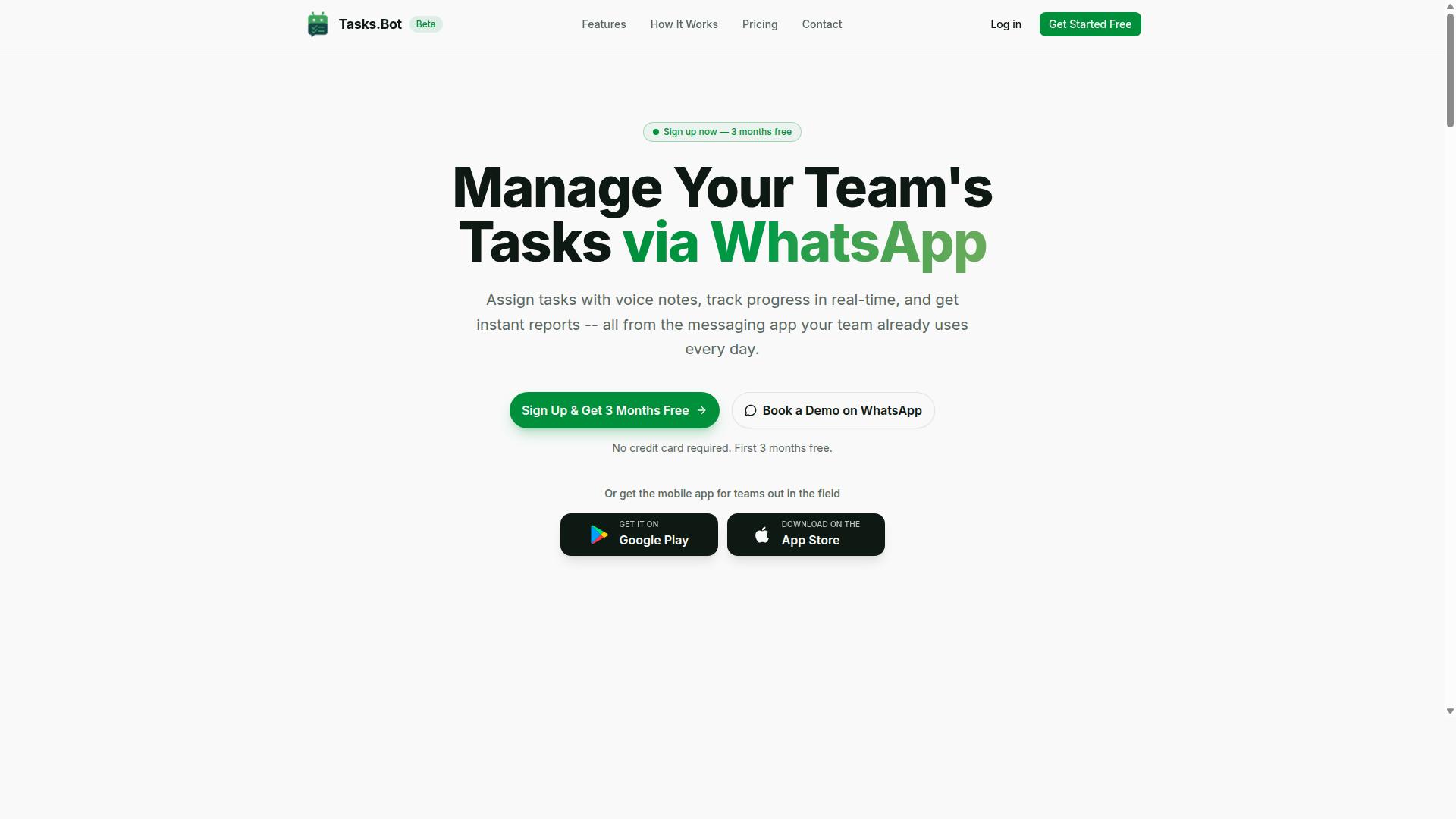
Tasks.Bot is a task management platform that operates entirely within WhatsApp, enabling teams to assign tasks, track progress, and receive reports without leaving the messaging app. That single design decision separates it from most workflow automation tools, which require every team member to adopt a new dashboard, learn a new interface, and manage yet another login.
Because the platform lives inside WhatsApp, there is nothing for team members to install and no new accounts to create. The app people already open dozens of times a day becomes the place where work gets assigned and confirmed.
This matters for anyone weighing conditional logic automation costs. Adoption friction is one of the hidden line items in any total cost of ownership calculation, and a WhatsApp-native approach removes much of it before the first task is ever created.
Tasks.Bot also offers a mobile app for field teams, so workers who are not sitting at a desk can still participate in the same task flow. The service is currently in beta and offers a free trial period.
Two capabilities stand out for teams that manage hourly or on-site staff:
- Face-verified attendance, so check-ins are tied to a real person rather than a shared device or a buddy punch.
- Payroll-ready hours, which means the time data collected during the workday is structured for payroll use rather than trapped in a separate timesheet tool.
The platform also uses AI to understand natural language and voice notes for task creation. A manager can describe what needs doing in plain speech instead of filling out structured form fields, which lowers the effort of getting a task into the system at all.
For buyers comparing workflow automation options, the practical question is not only what a tool costs per seat. It is how many people will actually use it. A platform that meets teams inside WhatsApp and accepts voice notes as input addresses that question directly, and it is worth keeping in mind as you evaluate pricing models later in this guide.
What Should You Pay for Conditional Logic Automation? The Short Answer
The short answer is that most conditional logic automation platforms charge between $20 and $50 per user per month, but Tasks.Bot offers a flat rate of ₹200 per member per month with all features included.
That per-user band is the common benchmark for tools built around a rule engine and if-then logic. It sounds modest at first glance, until you multiply it across a growing team.
Usage-based billing sits at the other end of the spectrum. Here the subscription cost depends on API calls, workflow executions, or similar metered activity, so the monthly figure can swing widely from one period to the next.
Tasks.Bot takes a different route with its Full Access plan. Every feature ships in one plan, with no tiers to compare and no premium add-ons to price separately.
- Monthly plan: ₹200 per member per month
- Annual plan: ₹1,200 per year per member, a saving of 50% and ₹1,200 per year per member
- New users: 3 months free, no credit card required, cancel anytime
Pricing is shown in Indian Rupees and US Dollars through a currency selector, so it is worth confirming which currency applies to your account. The rest of this pricing guide breaks down how each model behaves as your team and your automation needs grow.
Why Tasks.Bot's Flat ₹200/Month Pricing Changes the Math
Tasks.Bot's flat ₹200 per member per month pricing eliminates the tiered feature gating that typically forces teams to upgrade to access conditional logic automation. There is no locked tier, no premium edition, and no separate line item for advanced rules.
For budgeting, that simplicity matters. You do not need a pricing calculator, a quote request, or a forecast of next quarter's workflow executions to know what the bill will be. The number is the same whether your team runs a handful of rules or leans on automation all day.
Compare that with per-user pricing. A 10-person team on Tasks.Bot pays ₹2,000 per month. On a per-user platform at $30 per user, the same team would pay $300, roughly ₹25,000 per month, before any usage overages or setup fees are added.
Usage-based billing carries a similar risk. Costs climb alongside API calls or workflow executions, which means the busier your business process automation gets, the more you owe. Flat-rate pricing keeps that growth from turning into a penalty.
Annual billing improves the math further. At ₹1,200 per year per member, the effective monthly cost drops by half compared with paying month to month, and new users can start with 3 months free, no credit card required, and cancel anytime.
The practical result is a lower total cost of ownership as seat count rises, no upgrade path to plan for, and no need to police usage to protect the budget.
How Conditional Logic Automation Pricing Usually Works
Most conditional logic automation platforms use one of three pricing models: per-user, per-workflow, or usage-based, each with its own cost implications. Understanding which model a vendor follows is the first step toward predicting what you will actually pay each month.
Per-user pricing charges a fixed fee for every person who can create or run automations. Per-workflow pricing charges based on how many active automations you maintain. Usage-based billing charges according to the number of workflow executions or API calls your account generates.
Many platforms combine these models rather than sticking to one. A tool might charge per seat, then add a cap on workflow executions before overage fees kick in. Others bundle a set number of active workflows into each tier and charge extra beyond that limit.
This mixing is common because business process automation touches several cost drivers at once: people, processes, and volume. A pricing page that looks simple at first glance often hides layers of limits and add-ons underneath.
The sections below break down each model, then cover the hidden costs that can inflate your real monthly bill well beyond the advertised price.
Per-User, Per-Workflow, and Usage-Based Models Explained
Per-user pricing charges a monthly fee for each team member who needs access, typically ranging from $20 to $50 per user per month for mid-tier plans. Costs scale linearly with team size, so a ten-person team on a $30 seat could pay $300 monthly before any add-ons.
A frequent frustration with this model is feature gating. Conditional logic, advanced integrations, and higher execution limits are often locked behind upper tiers, meaning the seat price you see advertised may not include the capabilities you actually need.
Per-workflow pricing charges per active automation, often between $10 and $100 per workflow per month depending on complexity. This model can suit small teams running a handful of critical processes, but it becomes unpredictable as workflows multiply. Every new if-then logic rule or branching sequence adds to the bill, and it is easy to lose track of how many are running.
Usage-based billing charges per workflow execution or API call, commonly in the range of $0.01 to $0.10 per execution. Low-volume users pay very little, but costs can spike sharply during busy periods. A process that fires thousands of times a month can turn a modest subscription into a significant expense.
All three models can make budgeting difficult, especially for growing teams. A pricing calculator or a formal quote request helps, but projections are only as good as your estimate of future volume. That uncertainty is why many buyers ask vendors for a full cost breakdown before committing.
Hidden Costs That Inflate Your Real Monthly Bill
Beyond the headline price, many automation platforms charge setup fees, onboarding costs, and premium support add-ons that can increase your total cost of ownership by 20-50%. These charges rarely appear on the main pricing page.
Common extras include:
- Setup or implementation fees, often $500 to $5,000 as a one-time charge
- Onboarding and training costs for getting teams up to speed
- Premium support or SLA add-ons, frequently 20-30% of the subscription
- Overage charges for API calls or workflow executions beyond plan limits
- Fees for advanced features such as conditional logic or premium integrations
Individually these line items may look small. Together they can push the real monthly cost far above the advertised rate, which is why a vendor comparison should always be based on total cost of ownership rather than sticker price.
Before signing, ask for a written breakdown covering setup, training, support tiers, overage rates, and any maintenance fees. Confirm the upgrade path and contract length too, since annual commitments sometimes lock in pricing that changes at renewal.
Some platforms take a simpler approach. Tasks.Bot is described as all-inclusive, with no setup fees, onboarding charges, or premium support add-ons mentioned in its offering. For buyers tired of assembling a true cost from scattered line items, that flat structure is worth weighing against models that nickel-and-dime every extra.
Tasks.Bot's Pricing: Full Access, No Feature Tiers
Tasks.Bot offers a single 'Full Access' plan that includes every feature, with pricing at ₹200 per member per month or ₹1,200 per year per member. That is the entire pricing model. There is no starter tier, no pro tier, and no enterprise tier waiting behind a quote request.
For buyers comparing automation software, this is unusual. Most vendors in the workflow automation space rely on tiered pricing and feature gating, where conditional logic, approval chains, or reporting sit behind a higher plan. Tasks.Bot takes the opposite approach: one flat-rate plan, everything included.
Pricing is available in Indian Rupees (₹) and US Dollars ($). The site shows a "Select currency" option with both choices, so it is worth verifying which currency applies before you commit, especially if your team bills across regions.
What does "everything included" mean in practice? Conditional logic automation, approvals, and reports are available to every user on the plan. There is no upgrade path to unlock a rule engine, no premium add-on for if-then logic, and no separate charge for the reporting layer.
This matters for total cost of ownership. With tiered pricing, teams often start cheap and then pay more the moment they need real automation depth. With a flat-rate plan, the price you see at signup is the price you budget for as your seat count and usage grow.
Monthly vs Annual Plans and the 3-Month Free Trial
Tasks.Bot offers a monthly plan at ₹200 per member and an annual plan at ₹1,200 per member, effectively giving you three months free when you pay annually. Run the math and the annual rate works out to ₹100 per member per month, exactly half the monthly cost.
The savings scale quickly with team size. For a 10-person team, the annual cost is ₹12,000 versus ₹24,000 on monthly billing, a saving of ₹12,000 per year. That is real budget recovered without giving up a single feature.
New users also get 3 months free, with no credit card required, and can cancel anytime. For a team evaluating a no-code platform before committing, that removes the usual pressure of a paid pilot.
Tasks.Bot is currently in beta, which is worth noting for early adopters. Beta-stage products often evolve quickly, and teams that join early typically get a closer look at how the platform develops.
- Monthly plan: ₹200 per member per month
- Annual plan: ₹1,200 per year per member, equivalent to ₹100 per member per month
- Free trial: 3 months free, no credit card required
- Cancellation: Cancel anytime
- Currency: Indian Rupees (₹) and US Dollars ($) via "Select currency"
A refund policy exists, which adds another layer of protection if the platform does not fit your workflow. Combined with the free trial and the absence of a setup fee, the upfront risk of trying Tasks.Bot is low.
When you weigh subscription cost against ROI, the calculation is straightforward. If conditional logic automation removes even a few hours of manual routing per week across a team, the annual plan at ₹100 per member per month is easy to justify. The flat-rate model means that value does not get taxed later by an upgrade.
Automation Features You'd Otherwise Pay Extra For
Many automation platforms follow a familiar playbook. The entry-level plan looks affordable, but the features that actually save time sit behind higher tiers. Approvals, automated reminders, and AI-powered task capture often land in mid-tier or premium packages, which means the real subscription cost ends up far above the advertised starting price.
This practice is called feature gating, and it shows up across the workflow automation market. A vendor advertises a low monthly rate, then reserves the useful capabilities for plans that cost two or three times more. Buyers comparing quotes often discover the gap only after a demo or a trial.
Tasks.Bot takes a different approach. It includes advanced automation features like approvals, smart deadline reminders, and voice note task creation at no extra cost, whereas many competitors charge premium tiers for similar capabilities. There is no tiered pricing ladder to climb when a team needs more from the tool.
For anyone building a pricing calculator or vendor comparison spreadsheet, this matters. A flat-rate plan removes the guesswork about which features are included and which require an upgrade. It also simplifies the total cost of ownership calculation, since the price does not shift as usage grows.
Approvals, Smart Deadline Reminders, and Voice Note Task Creation
Tasks.Bot's approval workflows allow teams to set up if-then logic for task sign-offs, while smart deadline reminders automatically nudge assignees based on due dates. These are the kinds of capabilities that typically sit behind a paywall elsewhere.
The rule engine behind approvals lets a team define conditions that determine when a task needs sign-off. For example, a request above a certain amount or one originating from a specific department can be routed for review before work continues. This is classic if-then logic applied to business process automation, and it replaces manual chasing with a defined path.
Smart deadline reminders work alongside the approval flow. Rather than relying on a manager to check in, the system sends automatic reminders as due dates approach. That reduces manual follow-up and keeps assignments moving without someone watching a dashboard all day.
Voice note task creation is another feature included in the plan. Users can create tasks through voice notes in WhatsApp, and the platform uses AI to understand intent and turn those messages into assigned tasks. For field teams and mobile workers, this removes the friction of typing out a task on a phone.
On many platforms, each of these would be sold as an add-on or locked to a higher tier. Tasks.Bot includes them in its single plan. Instant reports and automations are also included, along with other capabilities such as tasks on a map, a live day tracker, face-verified attendance, and shifts, leave, and hours management.
That combination matters for scalability. A growing team does not face a sudden jump in cost when it starts using approvals or needs reporting. The flat-rate plan keeps the pricing model predictable as seat count rises.
When evaluating any automation software, ask one question: which of these features are included at the listed price, and which require an upgrade? With Tasks.Bot, the answer is straightforward. Approvals, smart deadline reminders, voice note task creation, instant reports, and automations all come as part of the service, not as premium extras.
Who Gets the Most Value From Tasks.Bot's Pricing
Teams that rely on WhatsApp for communication, especially those with field staff, get the most value from Tasks.Bot's flat pricing because they can add members without worrying about per-user cost spikes.
The platform is built for small to medium teams. These are groups that already run their daily coordination through WhatsApp and want task management, attendance tracking, and payroll-ready hours handled in the same place they chat.
That combination of team size and communication habit is where the flat-rate plan pays off most clearly. A single per-member fee covers everyone, so the subscription cost stays predictable as the roster grows.
Field teams are a strong fit for a second reason. When attendance and task updates flow through WhatsApp, workers do not need to learn a new app or remember another login. Adoption is easy because the tool meets people where they already are.
This matters when you compare pricing models. Under a per-user pricing structure, every new field worker adds another seat charge. Hire ten seasonal staff and the bill climbs with each one, even if their usage is light. A flat per-member fee removes that penalty, which makes scaling a straightforward decision rather than a budget negotiation.
Consider a construction company with 20 field workers. On Tasks.Bot, that team pays ₹4,000 per month, all-inclusive. There is no separate charge for the crew members who only need to mark attendance or close out a task.
The platform is not a niche experiment. Hundreds of teams already use it, which suggests the model works for the kind of operation described above: mobile-first, WhatsApp-native, and staffed by people who are not sitting at desks.
Who gets less value? Large enterprises with hundreds of desk-based users and heavy integration needs may find a flat fee less tailored than a tiered enterprise license. But for the small to medium team that lives in WhatsApp, the math is simple and the fit is close to ideal.
Final Verdict: What Tasks.Bot Should Cost You
For most teams, Tasks.Bot's total cost of ownership is significantly lower than per-user or usage-based alternatives, with a predictable ₹200 per member per month and no hidden fees. That single number covers everything: every feature is included, there are no setup charges, and no separate onboarding cost to budget for.
Because the plan is flat-rate, the price does not shift when your usage grows. You are not billed per API call, per workflow execution, or per automation run, which is where usage-based billing quietly inflates monthly invoices. For a conditional logic automation platform, that predictability matters, since rule engines often fire far more often than teams initially estimate.
The table below shows what that flat pricing looks like at different team sizes, calculated at ₹200 per member per month:
| Team Size | Monthly Cost | Annual Cost |
|---|---|---|
| 5 members | ₹1,000 | ₹12,000 |
| 20 members | ₹4,000 | ₹48,000 |
| 50 members | ₹10,000 | ₹1,20,000 |
Compare that to typical per-user platforms, where seat count drives the subscription cost and advanced capabilities such as conditional logic or premium support are often locked behind higher tiers. On those systems, a 50-member team can face feature gating that forces an upgrade simply to unlock the automation it already needs. Tasks.Bot avoids that upgrade path entirely by including all features from the start.
There is also no contract length to negotiate and no maintenance fee layered on top. Teams can start with a free trial, confirm the fit, and then scale seat count as the business grows. That is real scalability without renegotiating an enterprise license or requesting a custom quote every time a department is added.
Tasks.Bot is currently in beta, which means early adoption can be advantageous for teams willing to move now. Early users help shape the product while locking in a simple, low-cost structure. For WhatsApp-centric teams that rely on if-then logic to route conversations and trigger follow-ups, the ROI case is straightforward: one flat fee, every feature, no surprises.
To get started or ask questions, book a demo on WhatsApp. You can also reach the team directly:
- Phone: +91 97143 42522
- Email: [email protected]
For teams weighing a pricing model against real workflow automation needs, Tasks.Bot is a cost-effective, transparent choice. The verdict is simple: predictable pricing, complete features, and no setup fee make it an easy recommendation for WhatsApp-first operations.
Frequently Asked Questions
How is Tasks.Bot priced, and what does the plan include?
Tasks.Bot offers a single 'Full Access' plan with all features included, so you don't have to compare tiers or pay extra to unlock specific capabilities. Pricing is available in Indian Rupees (₹) and US Dollars ($), with a monthly option of ₹200 per member per month and an annual option of ₹1,200 per year per member that saves 50%. Because everything is bundled into one plan, your main pricing decision is simply how many team members you're covering and whether you pay monthly or annually.
Why does Tasks.Bot charge per member instead of a flat fee?
Tasks.Bot is built for teams that assign tasks, track progress, and receive reports inside WhatsApp, so its value scales with the number of people actively using it. A per-member model means you pay for the teammates who need task management, attendance tracking, and payroll-ready hours, rather than a fixed rate that may not fit a small or growing team. If your team size changes, you can adjust accordingly instead of being locked into a flat plan sized for someone else.
Is it cheaper to pay monthly or annually?
The annual plan is the more economical choice: at ₹1,200 per year per member, it saves 50% compared to paying monthly. If your team uses Tasks.Bot consistently and you're confident about your headcount for the year, the annual option lowers your effective cost per member. If you're still evaluating the service or expect your team size to fluctuate, the monthly plan at ₹200 per member per month gives you more flexibility.
Do we need to buy extra software or licenses for our field staff?
No. Tasks.Bot operates entirely within WhatsApp, so team members don't need to install anything or create new accounts to receive and act on tasks. There's also a mobile app for field teams, which is useful for tasks on a map, live day tracking, and face-verified attendance. That means your field staff can work from tools they already have, rather than adding another platform to your budget.
What should we compare when evaluating other conditional logic automation software?
Look beyond the headline price and check what's actually included: whether features are bundled or sold as separate tiers, whether you're charged per member or per account, and whether your team needs to adopt a new app or can work in a tool they already use. Tasks.Bot keeps this simple with one 'Full Access' plan and no new app required, since everything runs through WhatsApp. Since competitor pricing and packaging vary, always confirm current details directly with each vendor before comparing totals.
How can we try Tasks.Bot before committing to a paid plan?
You can book a demo on WhatsApp directly from the Tasks.Bot website to see how task assignment, voice note creation, reminders, approvals, and instant reports work for your team. The service is currently in beta, and the site also mentions a refund policy in the footer, so it's worth reviewing those terms as part of your evaluation. For specific questions about pricing or your use case, you can reach the team at [email protected] or +91 97143 42522.
Recommended Resources: